

Create a work item
Work items represent requirements, tasks, bugs, and subtasks. Use the title to describe the task and the description for background and completion criteria.
Add a title and description, then set an assignee, priority, due date, and relevant iteration, milestone, or release. Keep discussions and attachments with the item so another person can understand its context.
Boards and transitions
Boards organize work by workflow state. Move items through permitted transitions; restricted states or approval flows require their configured conditions to be met.
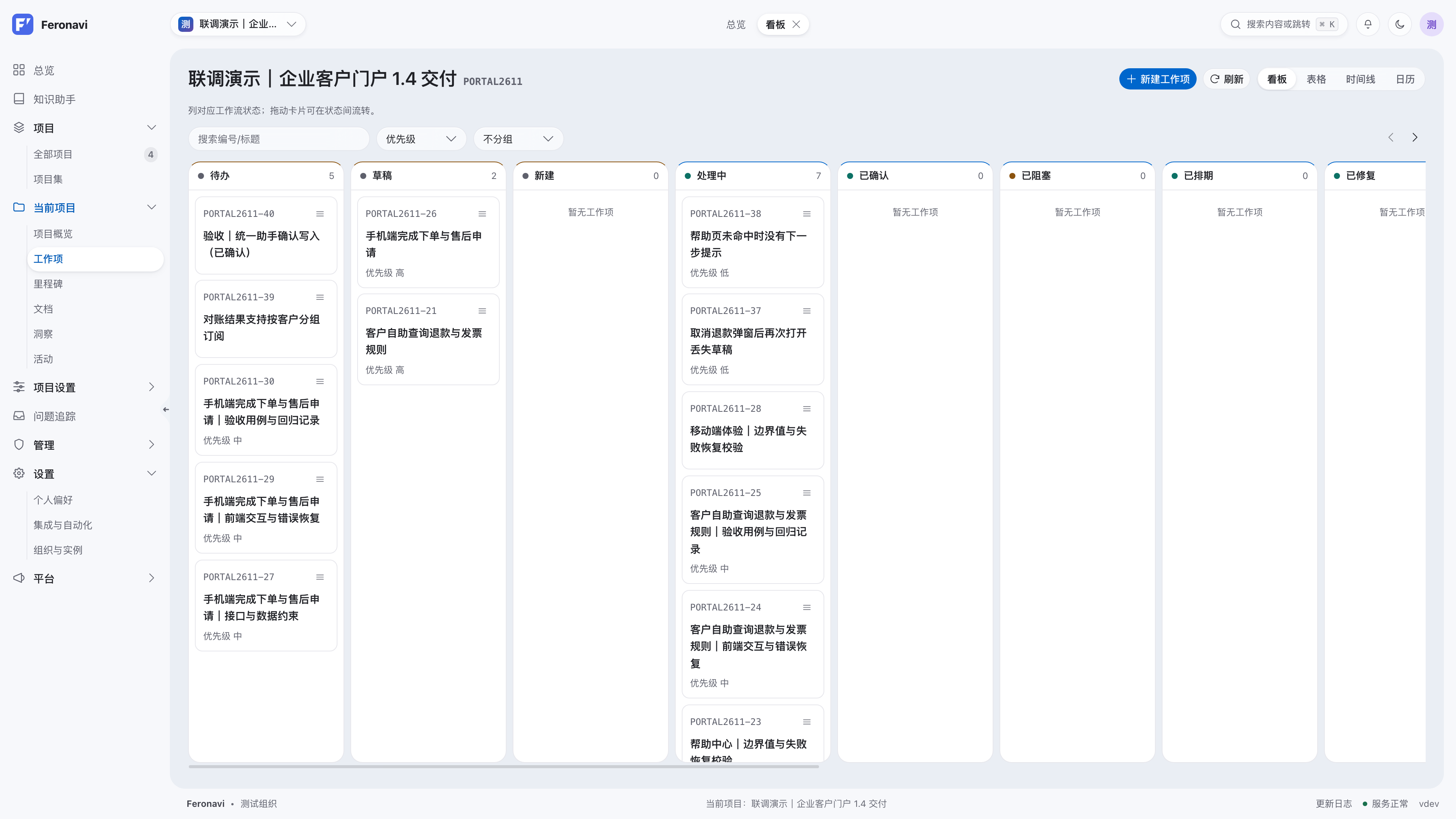
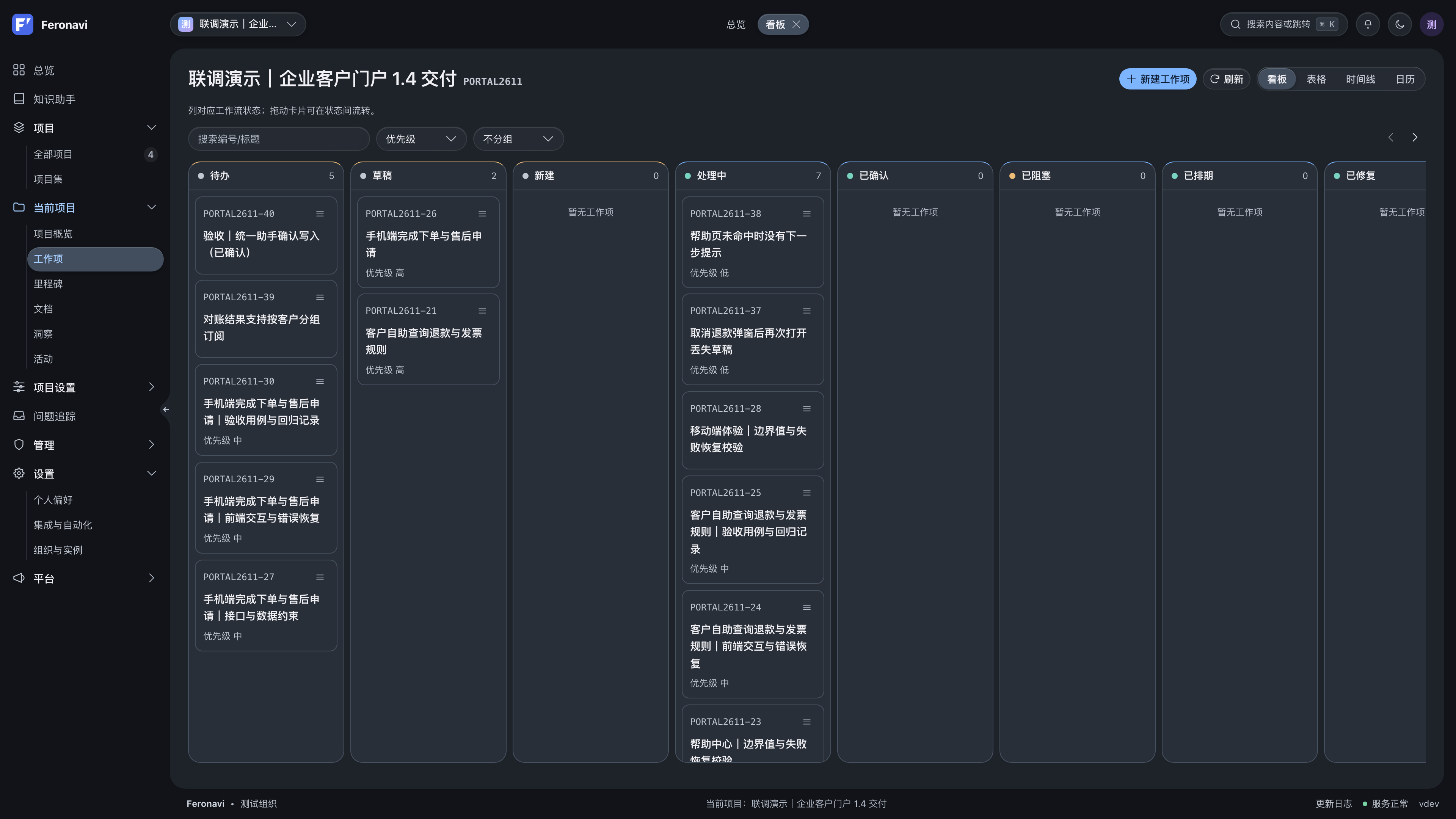
Available transitions depend on the current state, workflow, and permissions. If an action is unavailable, check membership and roles, then review approvals or other workflow constraints.
Filter and inspect
Narrow work by status, assignee, priority, and other fields. Tables help inspect fields and groups of items, calendars show due dates, and timelines reveal delivery schedules.
Combine filters to focus on the work you need to review.
Break down and connect
Split complex work into subtasks with clear owners and completion criteria. Link work to milestones, iterations, and releases to show how it contributes to delivery.
Before changing a relationship or assignee, check that the target belongs to the intended project and is visible to your account. Agents follow the same business and permission constraints.
Automation and notifications
Custom workflows, approvals, automation rules, and SLAs reduce repetitive coordination. After configuring a rule, run a matching operation and check the resulting status and notifications.
To involve an agent, see MCP integration.